Zfs hdd tuning
Nice—those 10K SAS Hitachi drives are actually a really solid fit for ZFS if you tune it right. Let’s dial this in specifically for your setup.
🧱 Your Drive
Hitachi DKR5E-J1R2SS


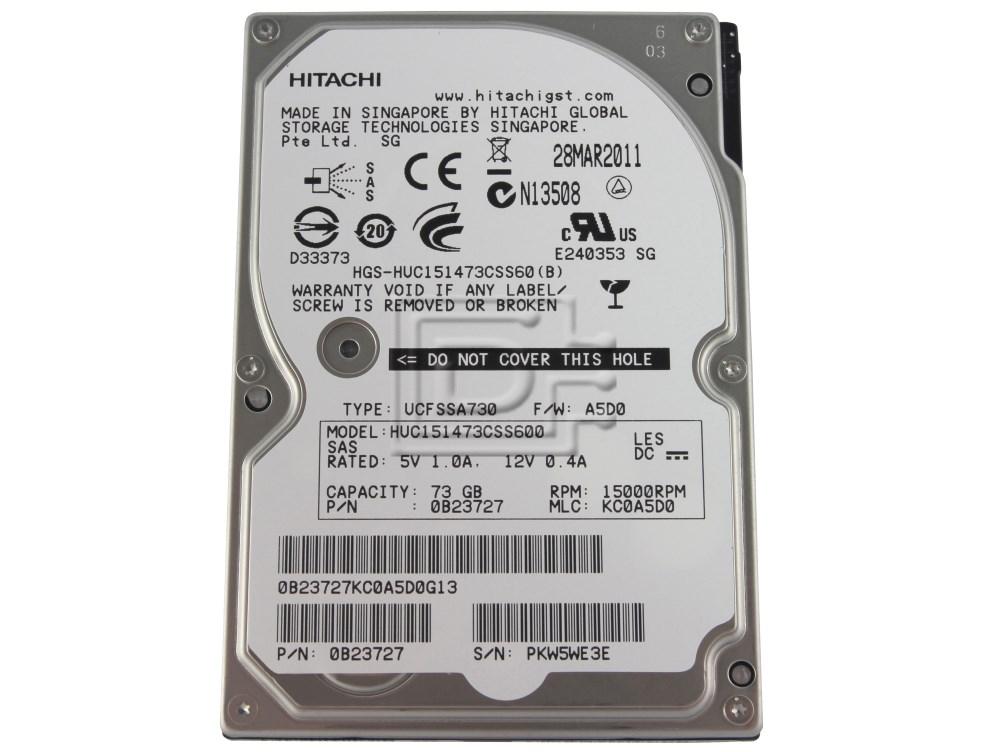

Key characteristics:
- ~120–180 IOPS per drive
- Low latency vs SATA, but still spinning disk
- Enterprise reliability (great for ZFS)
- Likely 512e or 4K sectors (we’ll force correct alignment)
🎯 Goals for ZFS Tuning
You want to optimize for:
- LXD containers + VMs
- Mixed workloads (random IO heavy)
- Stability over raw throughput
⚙️ Step 1 — Create ZFS Pool (IMPORTANT SETTINGS)
Assuming HBA mode and multiple disks (recommended RAIDZ or mirrors):
🔥 Best layout options:
- Mirrors (RAID10 equivalent) → BEST performance
- RAIDZ2 → BEST safety (recommended if ≥6 disks)
Example (mirrors)
zpool create -o ashift=12 HDD \
  mirror /dev/sdb /dev/sdc \
  mirror /dev/sdd /dev/sde
Example (RAIDZ2)
zpool create -o ashift=12 HDD \
  raidz2 /dev/sdb /dev/sdc /dev/sdd /dev/sde /dev/sdf /dev/sdg
🔑 Why ashift=12 matters
- Forces 4K alignment (even if drive lies)
- Prevents massive write amplification
👉 Always do this. No exceptions.
⚙️ Step 2 — ZFS Dataset Tuning (CRITICAL)
For LXD workloads:
zfs set atime=off HDD
zfs set compression=lz4 HDD
zfs set xattr=sa HDD
zfs set acltype=posixacl HDD
🧠 Recordsize tuning (VERY important)
For general LXD pool:
zfs set recordsize=128K HDD
For VM disks (zvols):
zfs set volblocksize=16K HDD/vm
👉 Why:
- 128K = good throughput default
- 16K = better for random IO (VMs, DB)
⚙️ Step 3 — LXD Storage Pool
lxc storage create HDD zfs source=HDD
⚙️ Step 4 — Special LXD tuning
For containers:
ZFS dataset works great as-is.
For VMs:
lxc storage set HDD volume.zfs.block_mode=true
👉 This uses zvols instead of files → better performance
⚡ Optional (BUT HIGHLY RECOMMENDED)
🚀 Add SLOG (for sync writes)
Without SLOG:
- Sync writes = slow (HDD latency)
With SLOG:
- Huge boost for:
- databases
- fsync-heavy workloads
- Kubernetes / etcd
Best SLOG device:
- NVMe with power-loss protection
Example:
zpool add HDD log /dev/nvme0n1
🧠 L2ARC (read cache)
Only add if:
- RAM < working set
zpool add HDD cache /dev/nvme1n1
👉 Not critical unless heavy reads
⚙️ Step 5 — Kernel tuning (small but helpful)
echo 1 > /sys/module/zfs/parameters/zfs_prefetch_disable
👉 Disables prefetch (better for random workloads)
⚠️ What NOT to do
❌ Don’t use:
- RAID controller + ZFS (double abstraction)
- RAID5 on controller (write hole risk)
- ashift=9 (huge mistake on modern disks)
🧪 Expected Performance
With mirrors:
- ~2x IOPS scaling
- Great for VMs
With RAIDZ2:
- Better capacity
- Lower IOPS (write penalty)
🏆 Final Recommended Setup (for YOU)
Given your setup:
If you want performance:
👉 Mirrors + ZFS
- Best VM performance
- Scales well
If you want capacity + safety:
👉 RAIDZ2 + ZFS
- Survives 2 disk failures
- Still solid performance
🔥 My Personal Pick for Your Use Case
Since you're running:
- LXD cluster
- likely DB / infra workloads
👉 I would do:
Mirrors + ZFS + optional NVMe SLOG
💡 Bonus: LXD Multi-Pool Strategy
You can do:
lxc storage create fast zfs source=SSDPOOL
lxc storage create HDD zfs source=HDD
Then:
- Put VMs → fast
- Backups / bulk → HDD
👍 Final Take
Your 10K SAS drives + ZFS (HBA mode):
- Extremely reliable
- Predictable performance
- WAY safer than RAID for long-term integrity
If you want next step, I can:
- Map your exact number of disks → best vdev layout
- Or tune specifically for PostgreSQL / your monitoring stack